
Dear players,
Something new is coming for our group fighters!
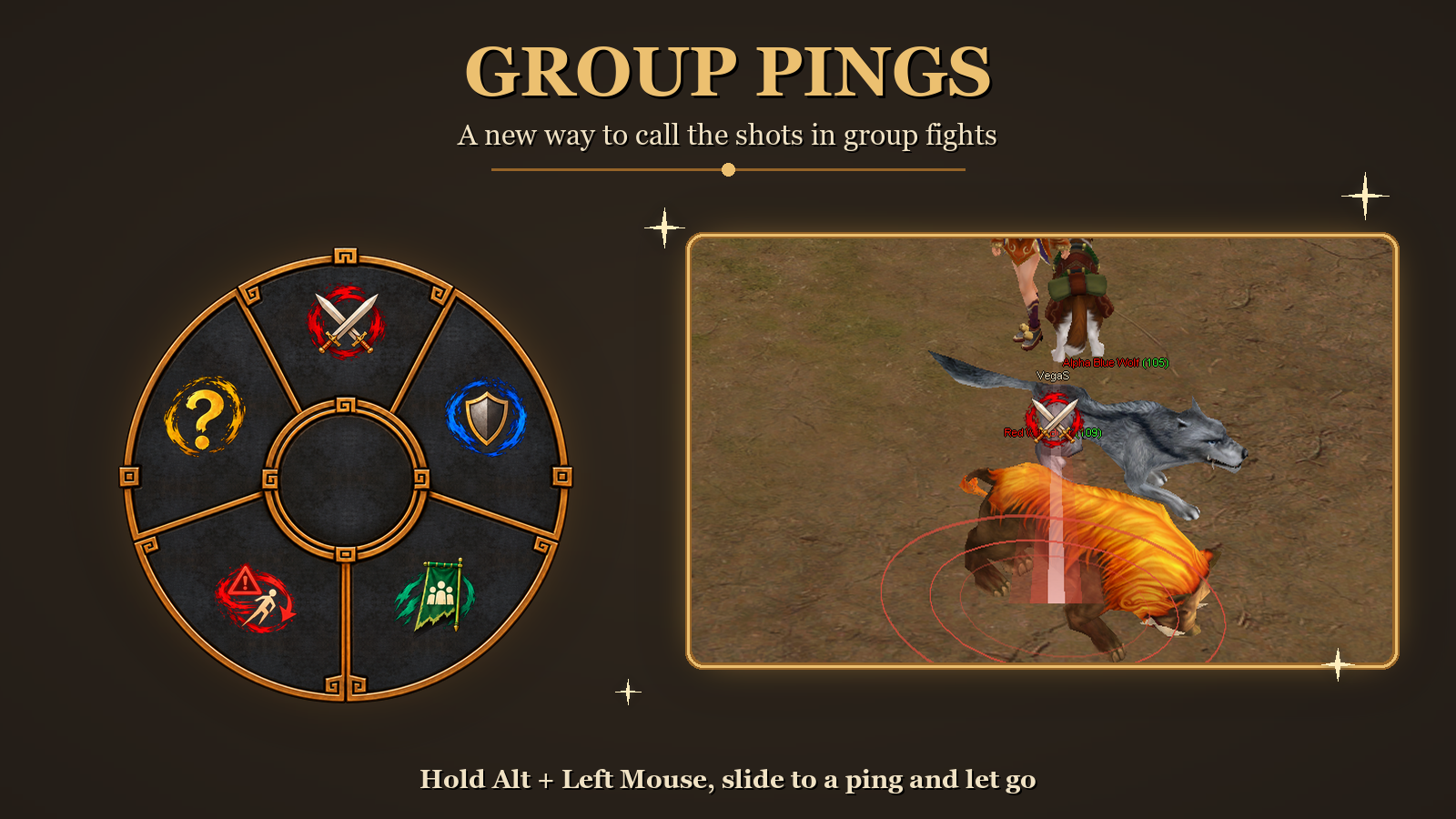
We’re working on Pings System, a new way to call the shots without typing a word. Hold Alt + Left Mouse, slide to a symbol and let go. Mark enemies, call for support, regroup your team or warn them about danger.
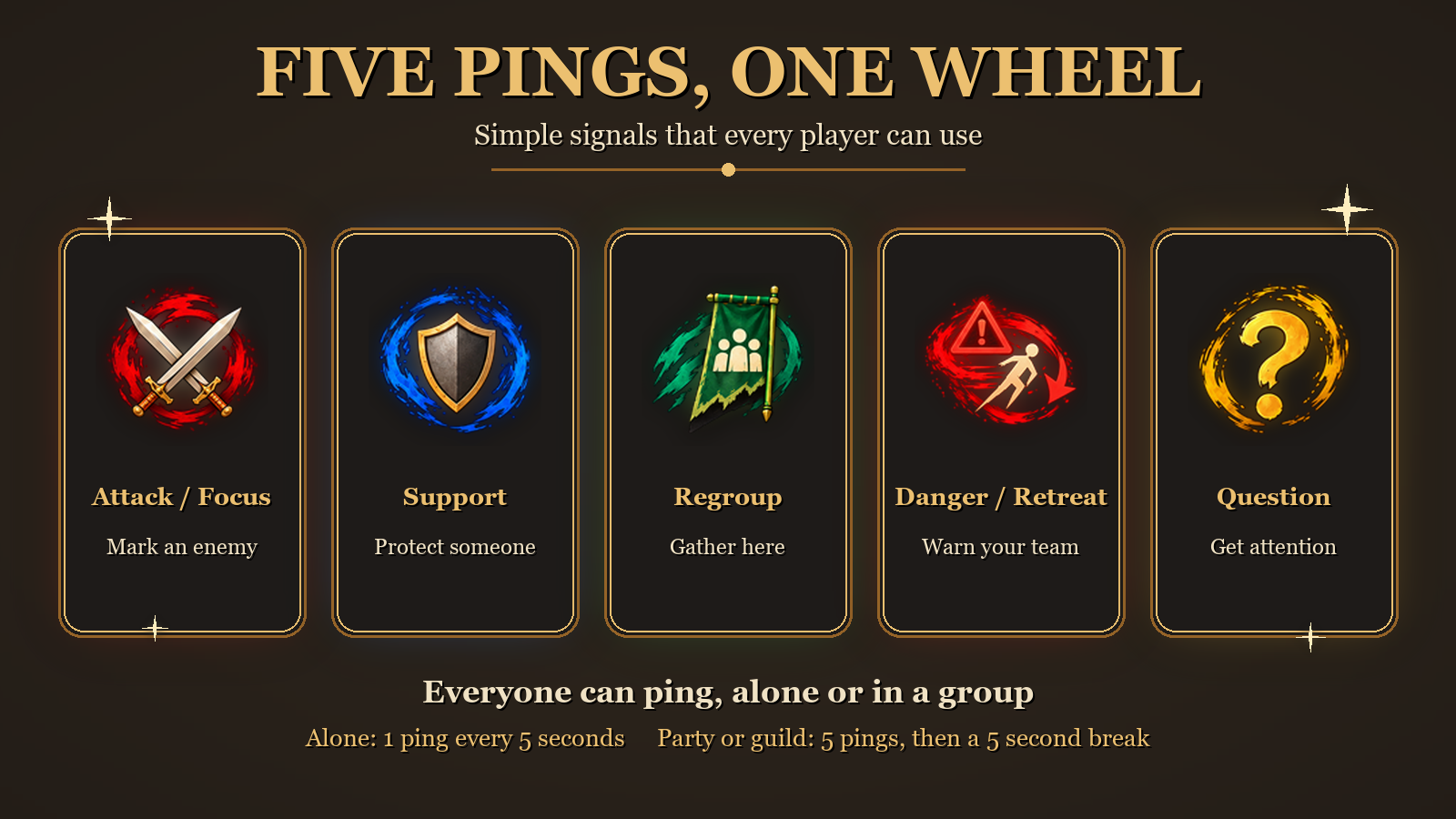
There are five pings. Each has its own color, icon and sound:
- Attack / Focus (red): mark an enemy your team should hit.
- Support (blue): mark a place or a teammate that needs protection.
- Regroup (green): tell your team to gather at a spot.
- Danger / Retreat (red): warn your team.
- Question (gold): ask a question or get attention.
Who sees your pings
Your pings go to your party and your guild. Guild members only see them if they are close by. In Game Settings you can choose “Party and guild”, “Party only” or “Guild only”. If you are alone, only you see your own pings.
You can mute any player’s pings from their target board. Muting also mutes their ping sounds.
Easy to spot
Every ping flashes a tall beam of light and sends rings across the ground, in the colour of the ping. Your name shows above the icon, so everyone knows who is calling.
Leader Focus Target
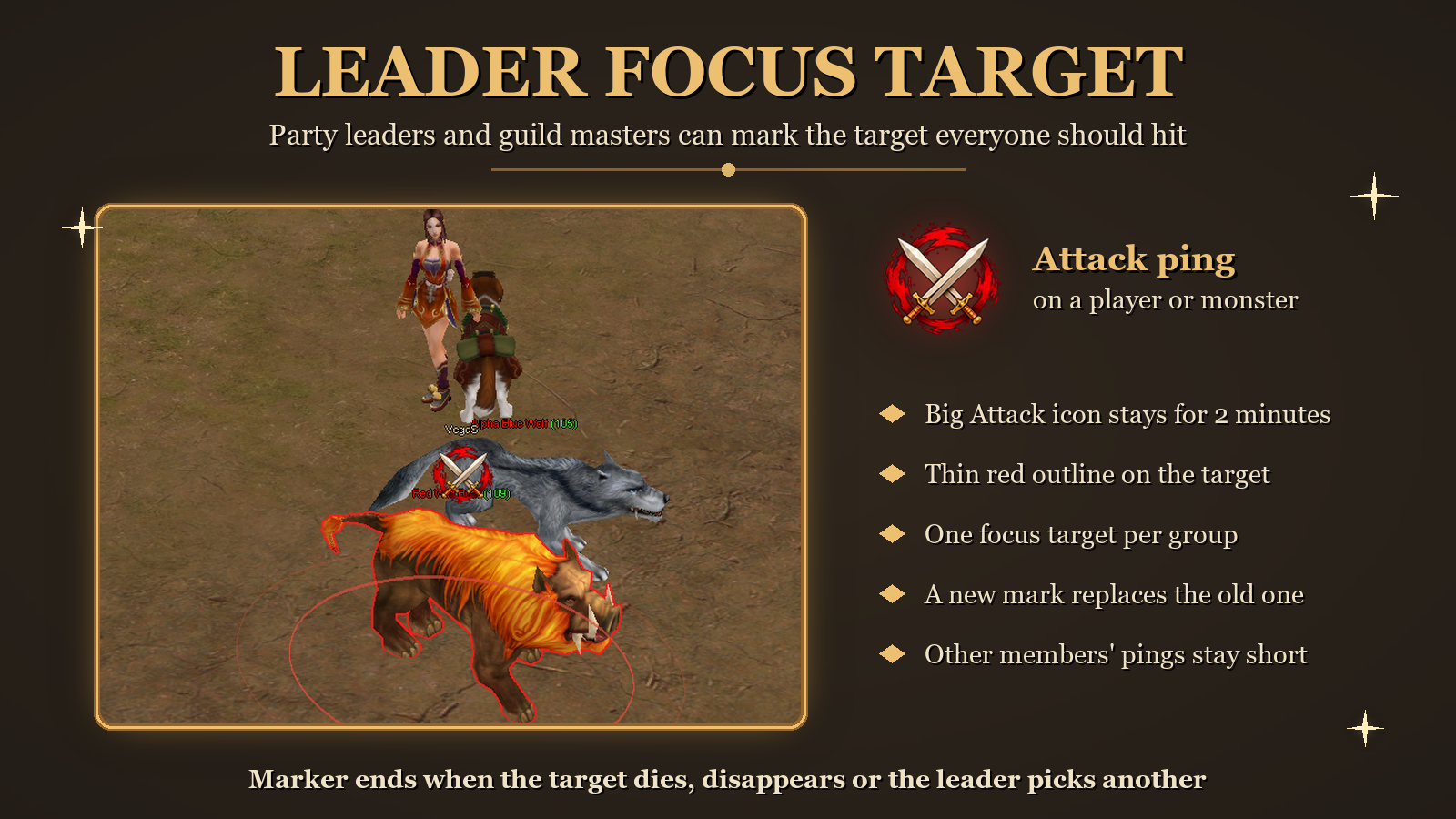
When your party leader or guild master uses an Attack ping directly on a player or a monster, that target becomes the group’s focus target:
- A big Attack icon stays above its head for 2 minutes.
- The target gets a thin red outline.
- There is only one focus target per group. A new mark from the leader replaces the old one.
- The mark ends early if the target dies, disappears, or the leader picks another target.
- Only the leader can set it. Attack pings from other members are short and never replace the leader’s mark.
- If you join a group later, you will see the current focus target too.
Everyone can ping.
You don’t need a party or guild to use pings.
- Alone: 1 ping every 5 seconds.
- In a party or guild: up to 5 pings in a row, then a 5 second break.
Coming soon.